Manage Users
Manage users who fall outside your standard automated provisioning process. Most organizations rely on individuals who aren’t traditional employees—contractors, interns, vendors, volunteers, and others who still need access to internal systems. The Manage Users app centralizes the management of those accounts and allows you to automate their lifecycle with the same consistency and control you apply to employees.
Intended Audience: IT or Human Resources
Target Scope: Non-employees
Required Systems: Any target system
Use Case Example
A company brings on 40 seasonal contractors for a three‑month project. These individuals need access to email, Teams, a project management app, and a shared file repository—but they are not part of the organization’s normal HR-driven provisioning flow.
Problem
Without a structured process, IT ends up:
Manually creating accounts
Manually assigning licenses and app access
Tracking end dates in spreadsheets
Forgetting to disable or remove accounts on time
This creates security gaps, inconsistent access, and a heavy administrative burden.
How the app solves it
Contractors are added directly into the app with required metadata (manager, project, start/end dates)
The app automatically provisions accounts, assigns the correct groups, and applies the right access policies—just like it does for employees
When the project ends, the app automatically disables or deprovisions the accounts based on the defined lifecycle
IT gains a clear audit trail and avoids orphaned accounts
Outcome
The organization maintains:
Consistent, policy-aligned access for non-employees
Reduced manual workload for IT
Stronger security and compliance
Predictable onboarding/offboarding for every user type
Screenshots
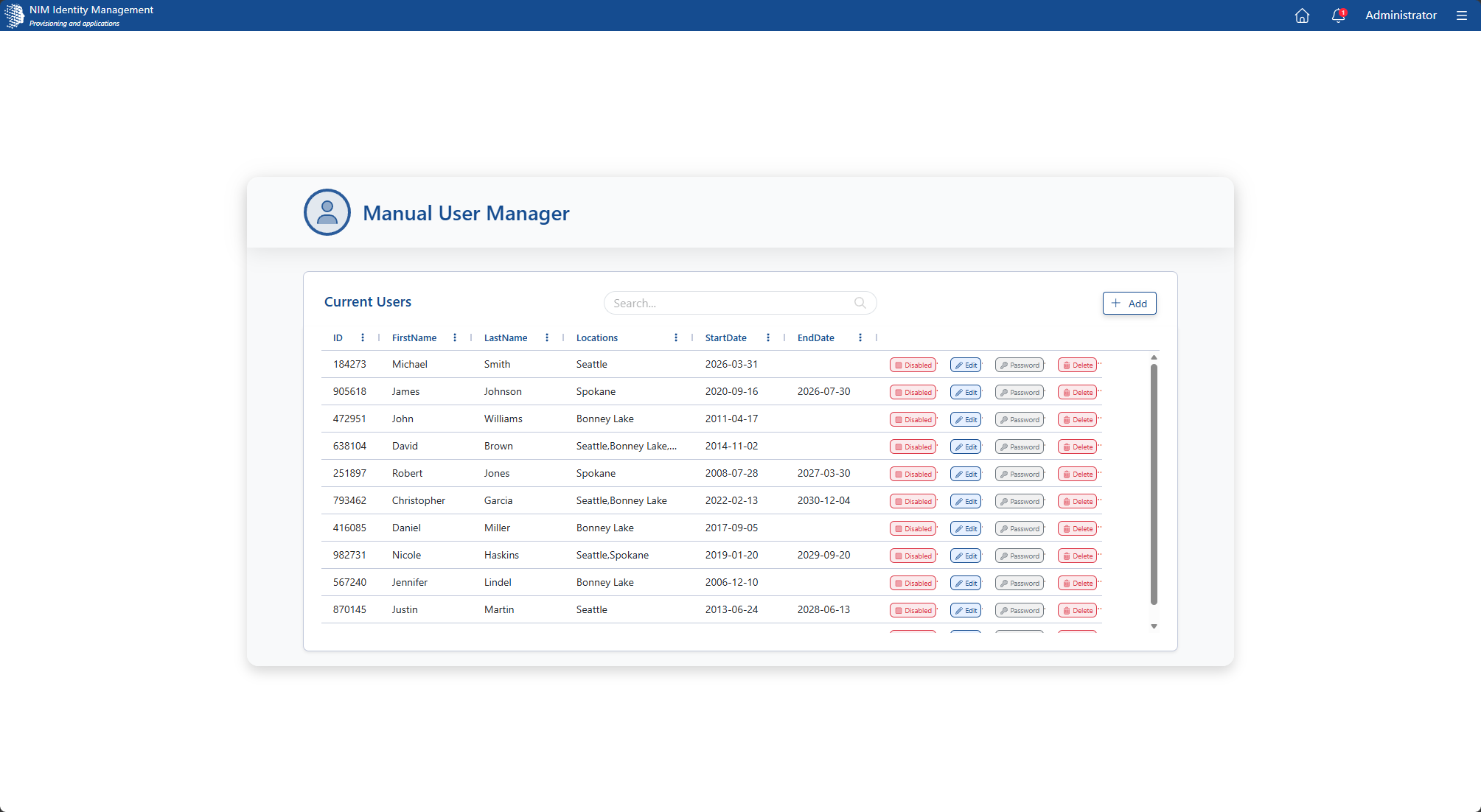
Main Page. Existing users can be manually disabled, updated, deleted, or have their passwords reset. New users can be created by clicking the +Add button.
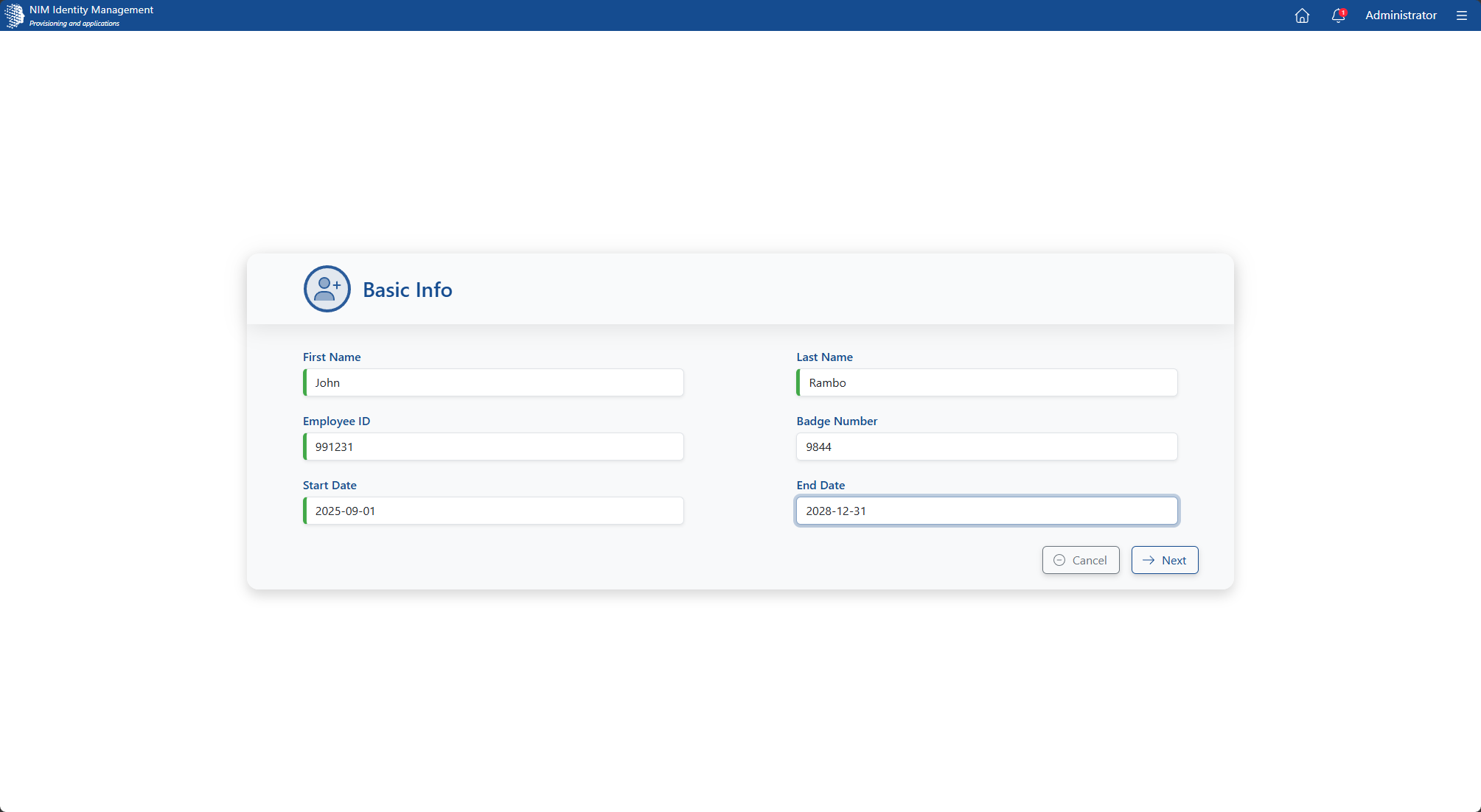
New User - Basic Details. Provide basic details about the user and NIM will create accounts in the connected target systems. Fields on this screen may be added, removed, or customized.
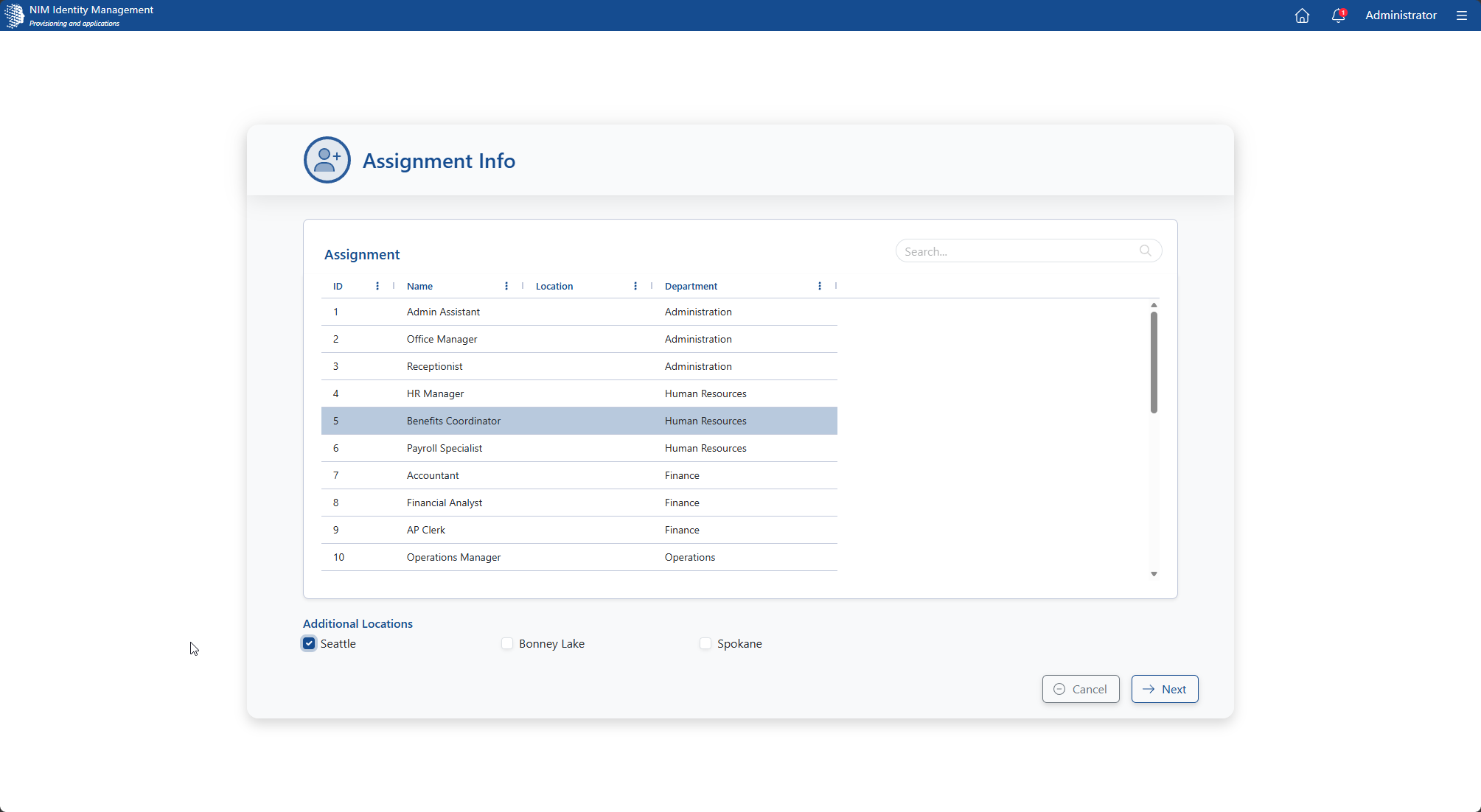
New User - Assignments. Tell NIM what the user's work assignment is and what location they are at. Information here can be used to drive group and OU assignment. Fields on this screen can be added, removed, or customized.
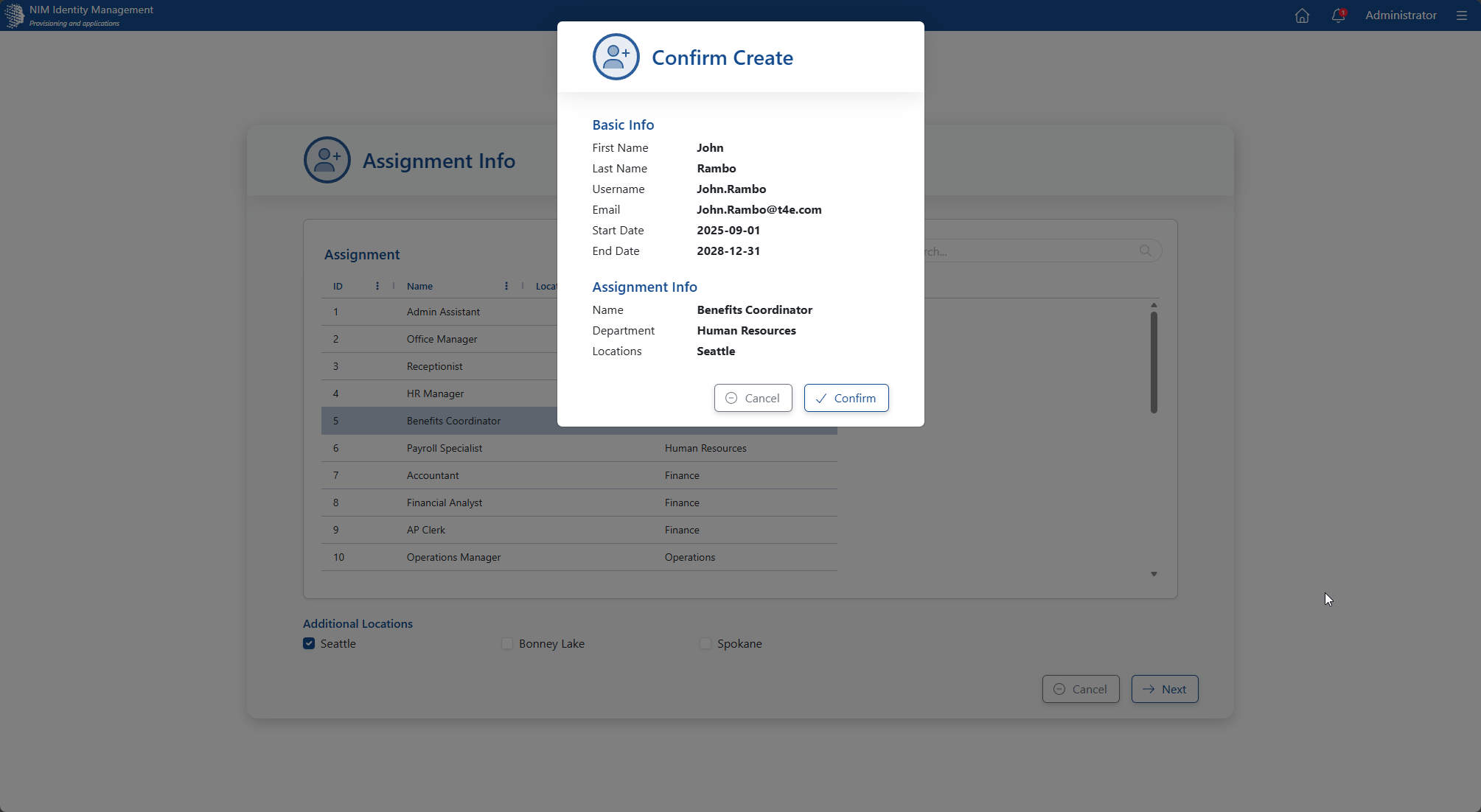
New User - Confirmation. NIM will display all provided info for confirmation so you can be confident users are being created with the right data.
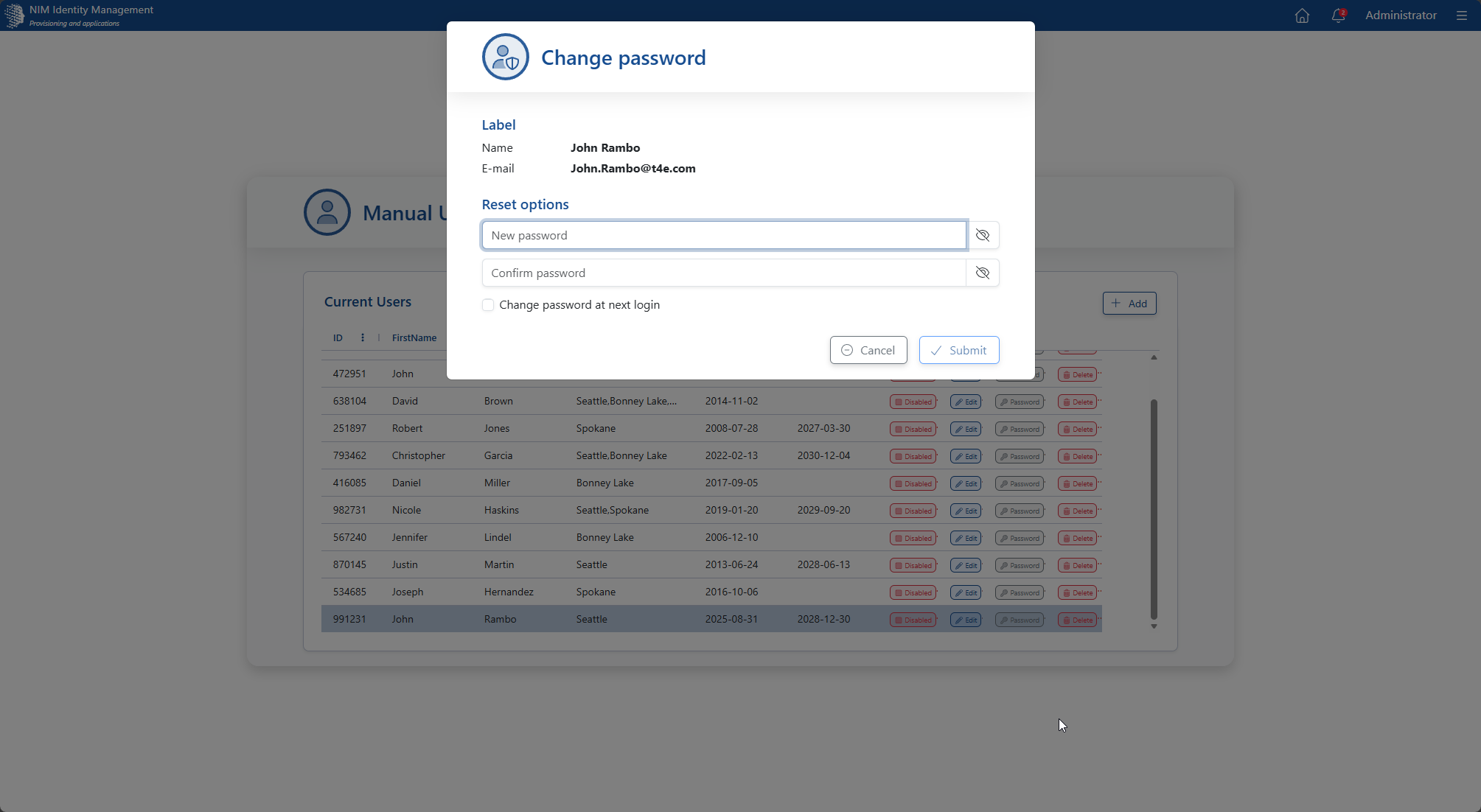
Password Reset. Easily reset forgotten passwords, and optionally force a password change at next login.