Override Flags
The Override Flags app allows administrators to selectively skip all or specific automated processing actions for a user. It can exclude operations such as Create, Disable, Delete, Enable, Group updates, Name changes, OU changes, or general Updates. A full global exclusion option is also available when all automation should be paused for that user.
Intended Audience: IT or Human Resources
Target Scope: Managed Users
Required Systems: internal, Active Directory
Use Case Example
An employee prefers to use an alternative name—such as a middle name or culturally preferred name—that is not stored in the HR system. To respect the employee’s preference and ensure accurate representation across internal systems, IT manually updates the user’s account to reflect the preferred name.
Problem
Because the HR system continues to send the original legal name, the automated provisioning engine (NIM) attempts to revert the account back to the HR-provided value during each synchronization cycle.
This creates:
Repeated overwrites of IT’s manual correction
Frustration for the employee
Extra work for IT
Inconsistent identity data across systems
How the app solves it
The app allows IT or HR to selectively exclude specific processing actions for a user. In this case, IT marks the user with "Skip Name Change."
By doing so:
NIM continues to process all other lifecycle events normally
Only the name-change operation is excluded
Manual updates made by IT remain intact
Future sync cycles no longer overwrite the preferred name
This same selective‑exclusion model can be applied to other operations such as Create, Disable, Delete, Enable, Groups, OU Change, or Update.
Outcome
The employee’s preferred name remains consistent across systems
IT avoids repetitive manual corrections
Automated provisioning continues uninterrupted for all other attributes
Identity data remains accurate, stable, and aligned with user expectations
HR and IT maintain control over exceptions without breaking the automation model
Screenshots
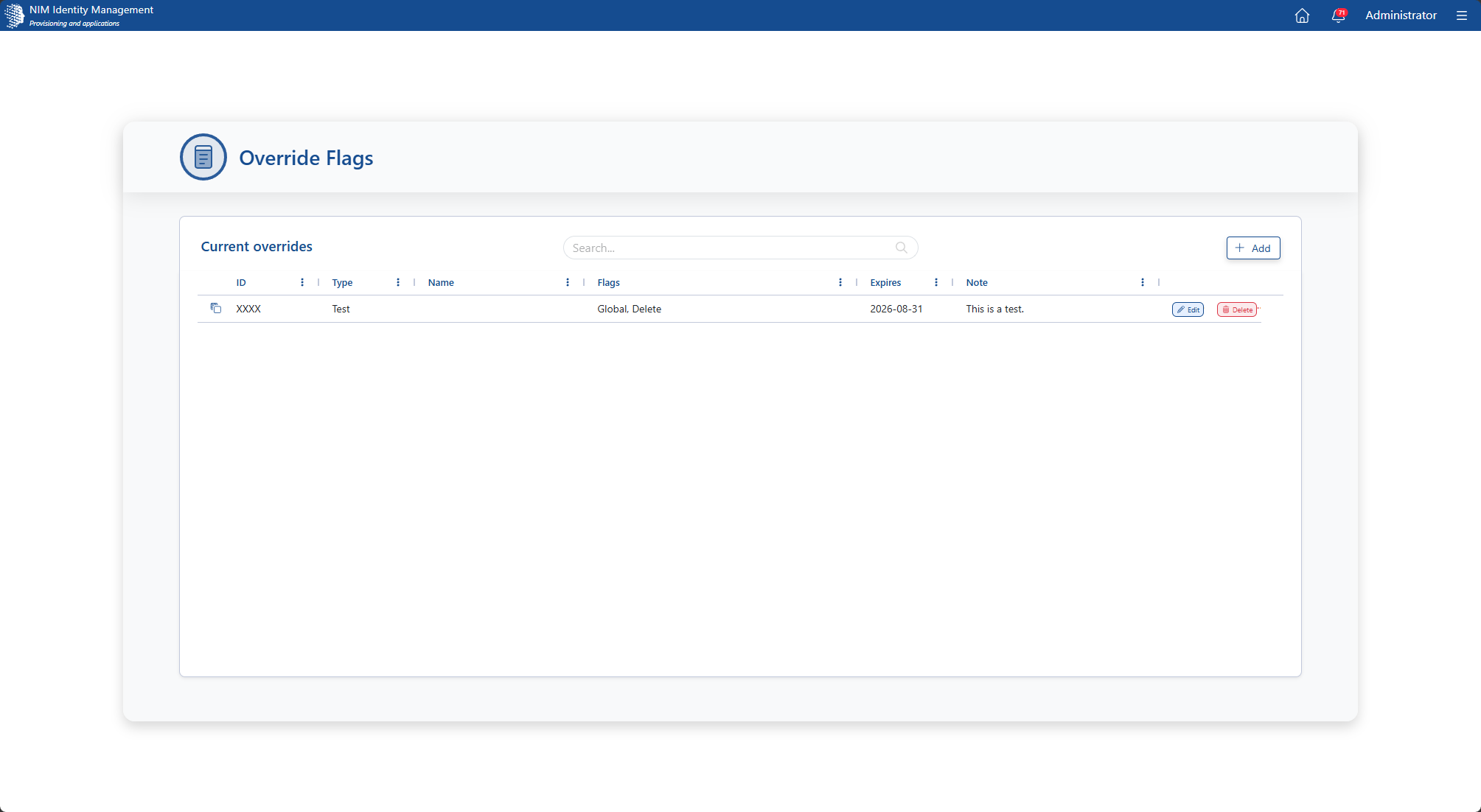
Main screen showing all override flag records in the system. Records can be added, updated, or removed from this screen.
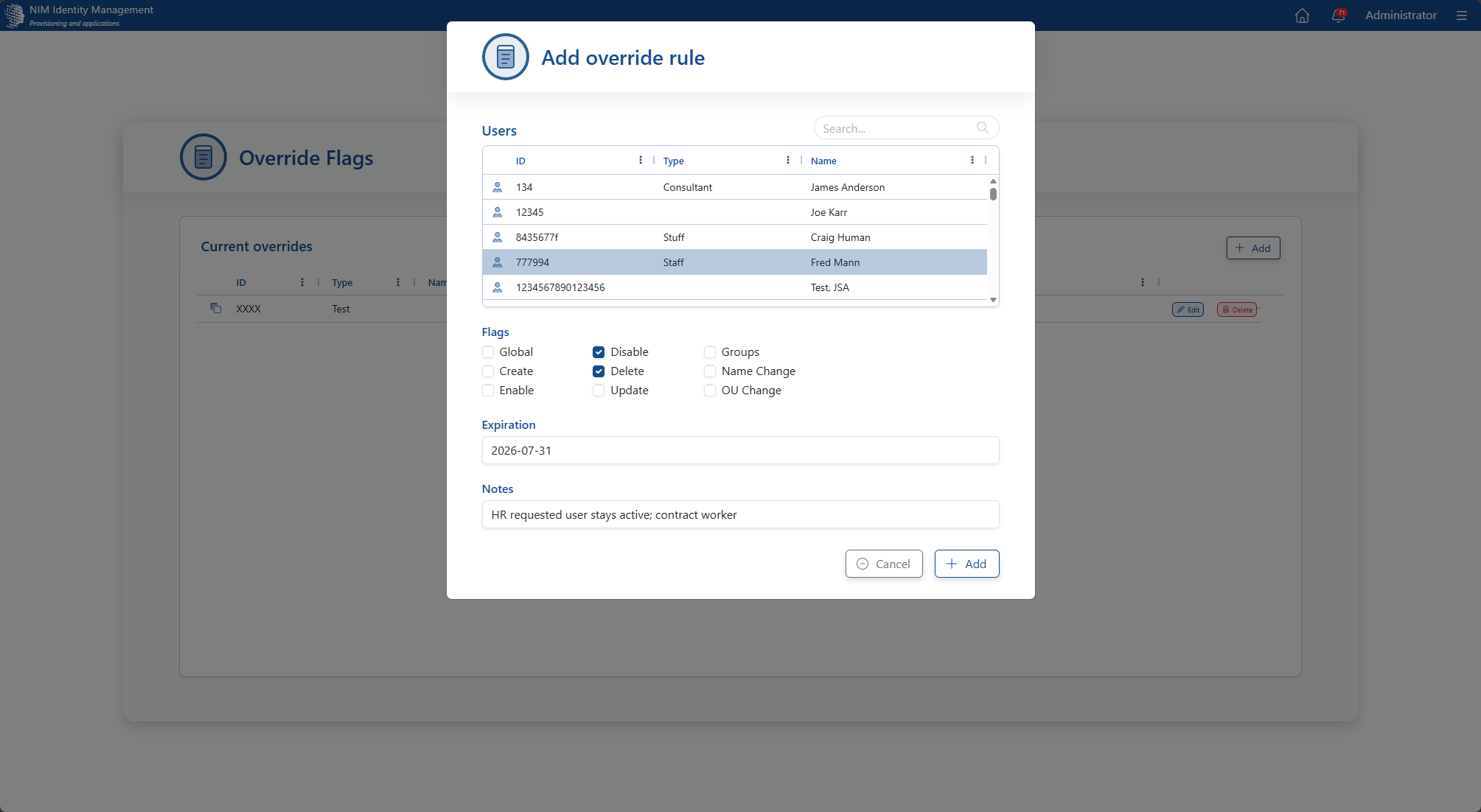
New Record screen. The users in this list are pulled from Active Directory. After selecting one, you can apply one or more override flags from the list, set an expiration date, as well as a note for future reference.
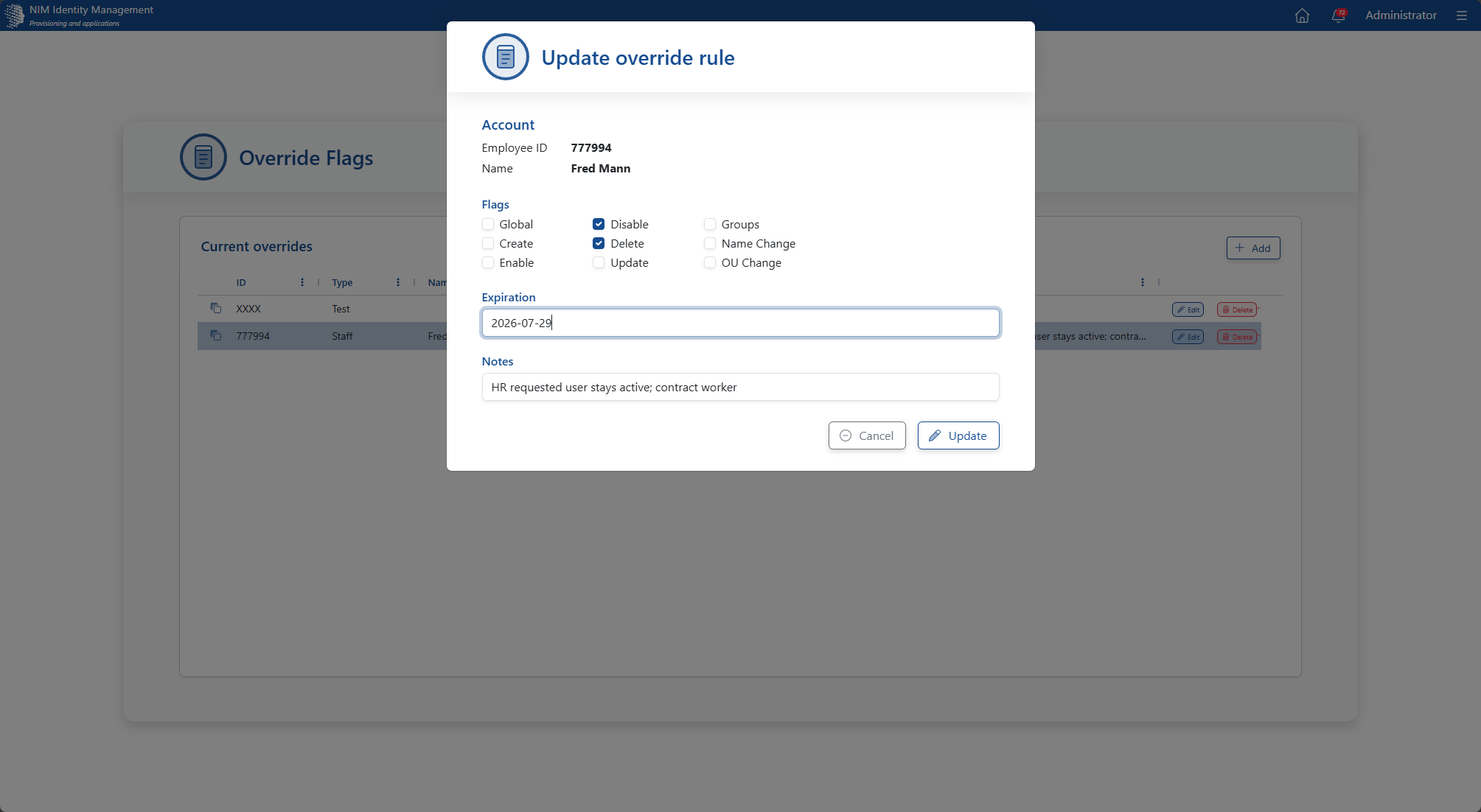
Update Record screen. Existing override flags can be updated to modify restrictions, expirations, or notes.
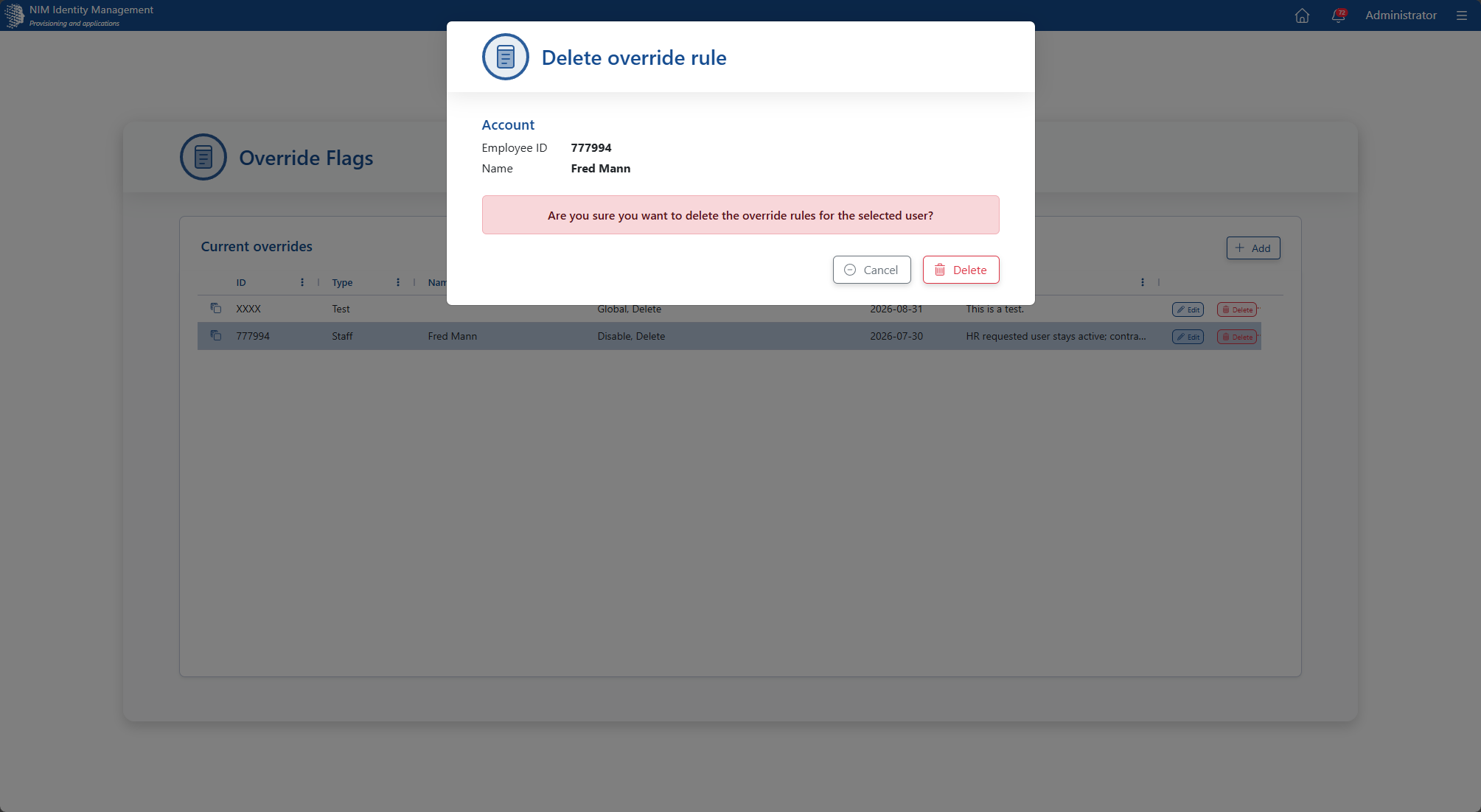
Delete Record screen. Confirm the deletion of override flags to prevent accidental removal.